WallSign Architecture
WallSign is a professional Digital Signage platform that combines simplicity, versatility, and effectiveness.
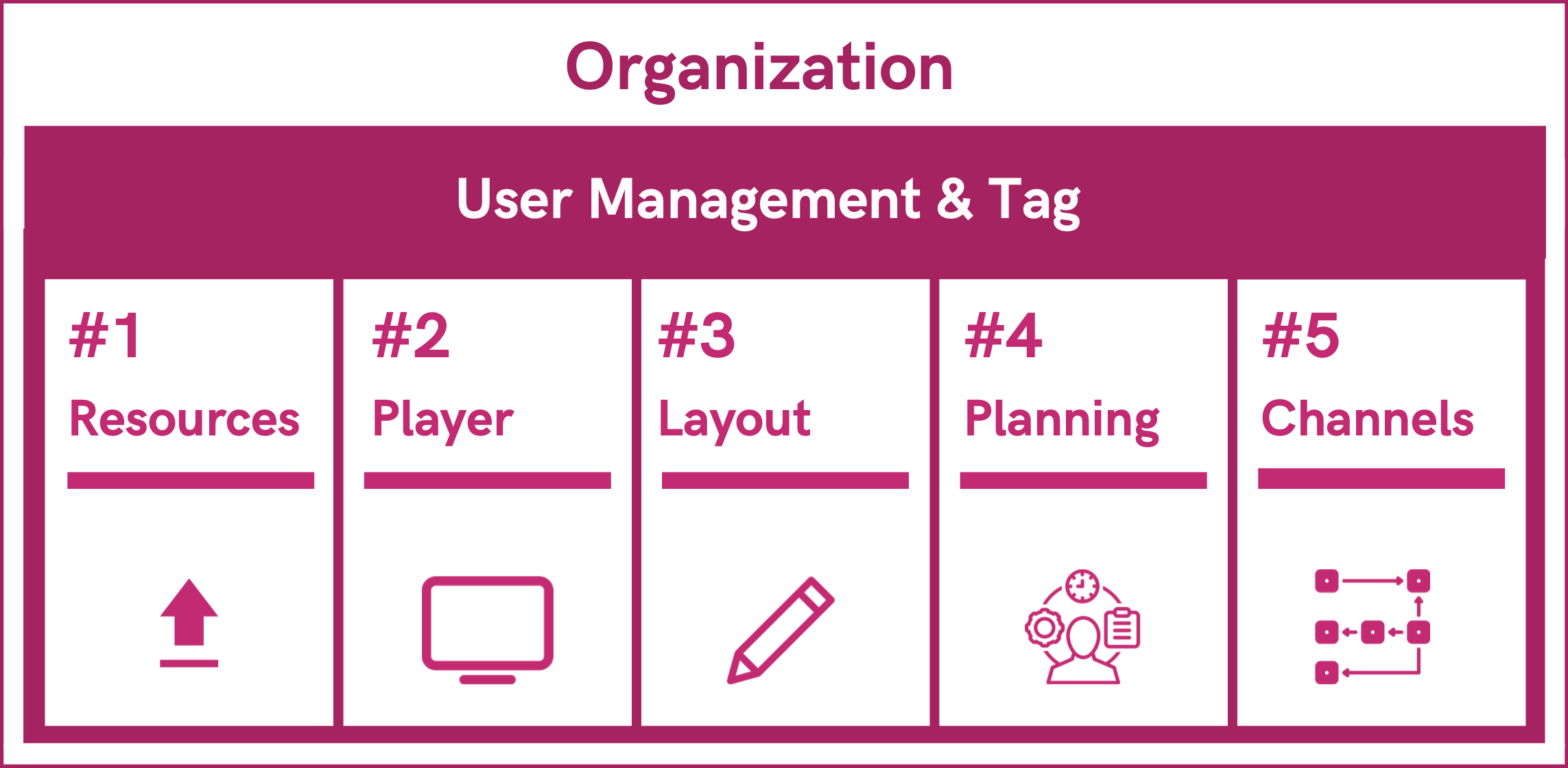
The ecosystem is organized around 5 key functions, which form the core of the system and allow you to manage every aspect of digital communication.
1. Resources
The Resources section is dedicated to uploading and managing all multimedia content:
- Images, videos, and texts
- Web pages and presentations (e.g., Google Slides)
- RSS feeds, Weather, News
- Social media (Facebook, Instagram, LinkedIn)
Resources can be organized with tags to simplify search and reuse across channels.
2. Players
The Players section manages the devices in the screen network. From here you can:
- Activate and monitor players (BrightSign, Android, Philips, LG, Sony, NEC, Raspberry Pi, Web Player)
- Check online/offline status
- Configure hardware and software settings (resolution, orientation, auto start)
- Preview remotely what is being played
3. Layouts
The Layouts section lets you create and customize the graphic organization of screens:
- Creation of multi-zone layouts (e.g., main, sidebar, footer)
- Unlimited management of layouts for different needs
- Adaptability to LED walls, vertical/horizontal monitors, and multiscreen configurations
Each layout becomes the base for distributing content and channels.
4. Scheduling
The Scheduling section allows you to plan and schedule content based on:
- Date and time
- Days of the week
- Specific events or tags
You can schedule for single players or groups, ensuring maximum flexibility.
5. Channels
The Channels section collects and organizes resources into logical playlists. Each channel can be:
- Assigned to one or more players
- Scheduled based on the calendar
- Filtered by tags or device groups
Thanks to channels, content becomes dynamic programming ready for public distribution.
User & Tag Management
In addition to the 5 key functions, WallSign integrates advanced user and tag management:
- Creation of roles and groups with specific permissions
- Sharing of players, resources, and channels based on groups
- Use of tags to filter content, channels, or players for easier searches
These features ensure granular and secure control in multi-user environments.
Organization
The Organization section allows clear structuring of the entire ecosystem:
- Division of players by locations, departments, or geographic areas
- Logical grouping of resources and channels
- Greater control and visibility for large-scale networks
This feature is especially useful for companies with multiple stores or distributed networks.
Summary of WallSign Architecture
Conclusion
Thanks to this modular architecture based on 5 key functions, WallSign allows you to:
- Centralize content management
- Monitor screens in real time
- Schedule effective and targeted communications
- Simplify distribution across networks of any size
Questions?
For additional support, open a ticket.Last updated: October 2026